- Գլխավոր Էջ /
- Էլեկտրոնիկա /
- Computer Accessories /
- Computer Accessories & Peripherals /
- Input Devices /
- Digital Pens /
- Microsoft Surface Pen for Surface Pro 3
0 ratings






ապրանք#:
18073
Microsoft Surface Pen for Surface Pro 3
ապրանք#:
18073
AMD 29556
Price Details
Excluding Shipping & Custom charges ( Shipping and custom charges will be calculated on checkout )
*All items will import from ԱՄՆ
0 ratings
Գրել կարծիք
Պահեստում
 Ներմուծվել է USA խանութից
QTY:
Պահեստում մնացել է ընդամենը 6 ապրանք:
Պատվիրի`ր հիմա և ստացի`ր Հինգշաբթի, Հուլիս 16
Secured transaction
Ubuy works hard to protect your security and privacy. Our advanced payment security system ensures confidentiality by encrypting your information during transmission using AES (Advanced Encryption Standards) and SSL (Secure Socket Layer) protocols. Your payment details are 100% secure as we do not share your payment details with third party sellers.
Our Top Logistics Partners


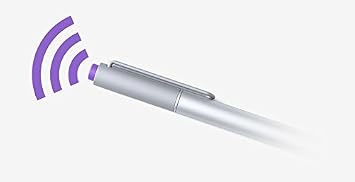
Unleash your creativity with Surface Pen. It offers a natural writing experience, with pressure sensitivity and palm block technology.

Fast
Shipping

Free
Return*

Secure Packaging

100% Original Products

PCI DSS Compliance

ISO 27001 Certified


Note: Step Down Voltage Transformer required for using electronics products of ԱՄՆ store (110-120). Recommended power converters Գնեք հիմա.


Ապրանքի մանրամասերը
- Designed for Surface Pro 3
- Connects to Surface via Bluetooth 4.0
- Battery powered
- Palm Block technology ignores the pressure from your hand when it senses you’re using Pen
- With over 250 levels of pressure sensitivity, Surface Pen lets you draw and paint with artistic precision
| Number of Batteries | 1 AA batteries required. |
| Compatible Devices | Microsoft Surface pro 3 |
| Battery Description | Alkaline |
| Pressure Sensitivity | 250 Levels |
| Minimum Required Operating System Version | Windows 10 |
| Compatible Tablet Computer Models | Microsoft Surface Pro 3 |
| Item Weight | 18.14 g |
| Item Dimensions | 0.37 x 5.31 x 0.37 inches (0.9 x 13.5 x 0.9 cm) |
| Item Diameter | 9.5 Millimeters |
| Color | Silver |
| Enclosure Material | Aluminum |
| Brand | Microsoft |
| Model Number | 3UY-00001 |
| Are Batteries Included | No |
| Are Batteries Required | Yes |
| UPC | 604753065882 885370706352 |
| Global Trade Identification Number | 00885370706352 |
| Unit Count | 1.0 Count |
| Manufacturer | Microsoft |
| Mfr Part Number | 3UY-00001 |
| Material | Aluminum |
| Item dimensions L x W x H | 0.37 x 5.31 x 0.37 inches (0.9 x 13.5 x 0.9 cm) |
| Batteries Required? | Yes |
ԱՊՐԱՆՔՆԵՐԻ ՆԿԱՐԱԳՐՈՒԹՅՈՒՆ
Microsoft Surface Pen for Surface Pro 3
Ունե՞ք հարցեր: Զրուցեք մեզ հետ
Հաճախորդների հարցեր և պատասխաններ
-
Հարց:
What features does the Microsoft Surface Pen for Surface Pro 3 offer?
Պատասխան: The Microsoft Surface Pen for Surface Pro 3 includes precision responsiveness with 256 levels of pressure sensitivity, allowing for natural writing and drawing experiences. It offers tilt support for shading and an eraser on the top for quick corrections, mimicking the feel of real writing instruments. Artists and professionals often appreciate its ability to switch between brushes in creative applications, enhancing digital illustrations and note-taking efficiency. -
Հարց:
Is the Microsoft Surface Pen compatible with other Surface devices?
Պատասխան: While the Microsoft Surface Pen for Surface Pro 3 is primarily designed for the Surface Pro 3, it is also compatible with other Surface devices that support the same technology. However, features may vary between devices, and some advanced functionalities may not work across all models. This versatility allows users to enhance their note-taking and drawing experience on various Surface models. -
Հարց:
How do I set up the Microsoft Surface Pen with my Surface Pro 3?
Պատասխան: To set up your Microsoft Surface Pen with your Surface Pro 3, first, remove the protective cap and insert the included battery. Once the pen is powered, simply hover it over the screen and press the top button to pair automatically. This process allows access to unique features such as OneNote shortcuts, making it ideal for immediate note-taking during meetings or lectures without needing to unlock your device. -
Հարց:
Can I replace the battery in the Microsoft Surface Pen?
Պատասխան: Yes, you can replace the battery in the Microsoft Surface Pen. It typically requires a standard AAAA battery, which can be easily found at most electronic retailers. Replacing the battery allows you to maintain the pen's performance, ensuring that it continues to provide accurate input for drawing and writing tasks, making it essential for creatives and students alike. -
Հարց:
What applications are best suited for the Microsoft Surface Pen?
Պատասխան: The Microsoft Surface Pen excels in a wide range of applications, particularly in creative software such as Adobe Photoshop, Illustrator, and CorelDRAW for artists. For students, applications like OneNote and Microsoft Word utilize the pen's capabilities for note-taking and markup. Its precision and pressure sensitivity make it an ideal tool for both creative professionals and individuals who need efficient input methods. -
Հարց:
How does the pressure sensitivity work on the Surface Pen?
Պատասխան: The Surface Pen features 256 levels of pressure sensitivity, which means the harder you press, the thicker the line becomes. This functionality allows users to create detailed artworks or intricate notes with varying thicknesses and shading. Many artists use this feature for digital painting, where they can achieve nuanced effects similar to traditional media, enhancing their creative workflow significantly. -
Հարց:
What is tilt support feature in the Microsoft Surface Pen?
Պատասխան: Tilt support allows the Surface Pen to detect the angle at which you are holding it, providing more control over the shading and brush dynamics in supported applications. This feature mimics traditional drawing techniques, making it invaluable for artists who want to explore depth and texture in their work. Using tilt can significantly enhance your illustrations, creating a more realistic appearance while reducing the learning curve for newcomers to digital art. -
Հարց:
How can the Surface Pen benefit my productivity?
Պատասխան: Using the Surface Pen can greatly enhance productivity, especially for tasks that require handwritten input or creative expression. It allows you to jot down notes quickly during meetings, annotate documents, and sketch ideas without needing to toggle between different inputs. This seamless transition can save time and streamline your workflow, making it a popular choice for professionals and students alike. -
Հարց:
How long does the battery last in the Microsoft Surface Pen?
Պատասխան: The battery life of the Microsoft Surface Pen can last for several months under standard use. Factors affecting this include how often you use pressure-sensitive tools or the eraser function. Being mindful to turn off the pen when not in use can contribute to longer battery life. Keeping spare batteries on hand is a good practice for uninterrupted usage in professional and creative scenarios. -
Հարց:
Where can I buy Microsoft Surface Pen for Surface Pro 3 in Armenia?
Պատասխան: You can buy the Microsoft Surface Pen for Surface Pro 3 on Ubuy, a reliable e-commerce platform that offers a wide selection of electronics and accessories. Ubuy frequently features competitive options for tech products, ensuring you can find the Surface Pen that fits your needs conveniently.
Microsoft Digital Pens 3UY-00001 Editorial Review


If you're looking for an accurate stylus for your Surface Pro 3, then the Microsoft Surface Pen has got you covered. With a range of features and impressive design, this pen offers excellent performance and precise accuracy for all your writing and drawing needs. The pen is made out of a durable material that feels good in your hand and is long-lasting. Additionally, the Microsoft Surface Pen has an impressive battery life, and you won't have to worry about it running out of juice anytime soon. While some users have reported issues with the batteries, these problems seem to be rare and usually have an easy fix. Overall, if you're looking for a reliable stylus for your Surface Pro 3, then the Microsoft Surface Pen is definitely worth Considering.
Customer Reviews & Ratings
742 Հաճախորդների գնահատումներ
-
5 սստղ
64%
-
4 սստղ
14%
-
3 սստղ
11%
-
2 սստղ
4%
-
1 սստղ
7%
Վերանայել այս ապրանքը
Կիսվեք մտքերով այլ հաճախորդների հետ
Կողմ
- Durable and long-lasting material
- Excellent battery life
- Precise accuracy for writing and drawing tasks
Product Price History
Կարևոր տեղեկատվություն
- Սահմանափակումներ։ Միջազգային առաքման ենթակա ապրանքների երաշխիքը կարող է չգործել առաքվող երկրում, արտադրողի սպասարկման ծառայությունները կարող են անհասանելի լինել տվյալ երկրում, արտադրանքի ձեռնարկները, հրահանգները և անվտանգության նախազգուշացումները կարող են չլինել առաքվող երկրի լեզվով. ապրանքները (և ուղեկցող նյութերը) կարող են նախագծված չլինել առաքվող երկրի չափանիշներին, տեխնիկական պայմաններին և պիտակավորման պահանջներին համապատասխան. և արտադրանքը կարող է չհամապատասխանել տվյալ երկրի լարման և էլեկտրական այլ չափանիշներին (անհրաժեշտության դեպքում պահանջվում է ադապտեր կամ փոխարկիչ): Ստացողը պատասխանատու է երաշխավորելու, որ ապրանքը կարող է օրինական կերպով ներմուծվել տվյալ երկիր: Երբ պատվեր եք կատարում Ubuy-ից կամ նրա դուստր ձեռնարկություններից, ներմուծողն է պատասխանատու թղթաբանության համար և պետք է հոգա, որ այն համապատասխանի առաքվող երկրի բոլոր օրենքներին և կանոններին:
- Ubuy-ում նշված ոչ բոլոր ապրանքներն են վաճառվում, քանի որ Ubuy-ը գլոբալ որոնման համակարգ է: Ապրանքները ենթակա են արտահանման/առևտրի կանոնակարգերի:
AMD 29556
Պատվիրի`ր հիմա և ստացի`ր Հինգշաբթի, Հուլիս 16
This item is not restrict in my country.(Please click on above link if this item is not restrict in your country, So our team will review and allow.)
QTY:
Պահեստում մնացել է ընդամենը 6 ապրանք:
Secured transaction
Ubuy works hard to protect your security and privacy. Our advanced payment security system ensures confidentiality by encrypting your information during transmission using AES (Advanced Encryption Standards) and SSL (Secure Socket Layer) protocols. Your payment details are 100% secure as we do not share your payment details with third party sellers.
Our Top Logistics Partners
Fastest cross-border delivery